 ぽん印
ぽん印ぽん印 › Guides
How to make a hanko seal image for Japanese invoices (free, true size)
If you freelance for Japanese clients or run a small business in Japan, sooner or later someone will ask you to put your hanko (判子, a name seal) on a quote or an invoice. Many people now make these documents in Excel or Word, so a seal image is the practical answer. This guide explains which seals appear on Japanese invoices, which size to pick, and how to make a transparent PNG at its real size for free.
Which seals go on a Japanese invoice?
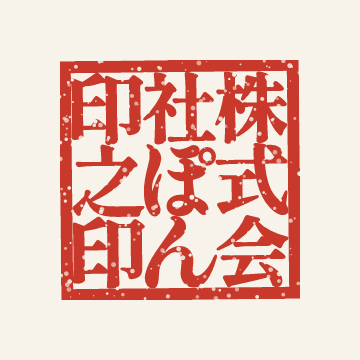
- 角印 (kakuin), the square company seal. It carries the company or trade name, often ending in 之印 or 印 (“seal of”), and is placed next to or slightly over the company name. Sole proprietors often use their trade name (屋号).
- 個人印 (kojin-in), a personal seal. A small round seal with a family name, used as the stamp of the person in charge (担当者印) in a box on the quote or invoice.
- 日付印 (hizuke-in), a date seal. Department, date and name in three bands. It is more common on internal papers and on documents marked as received.
These are different from a registered seal. Do not use these for a 実印 (registered seal) or a 銀行印 (bank seal). Make seals only for your own name or for an organization you represent.
Is a seal required?
No. Stamping an invoice (請求書) or quote (見積書) is not a legal requirement. Japan’s qualified invoice system (インボイス制度) lists what an invoice must state, such as the issuer’s registration number, the tax rates and the tax amounts, and a seal is not one of them. Many clients still expect a seal out of habit or internal rules, so it is worth asking what they prefer.
Which size?
| Seal | Common sizes | Notes |
|---|---|---|
| 角印 (company) | 18, 21, 24 mm | 21 mm is the safe default; 18 mm suits a short trade name, 24 mm a long company name. |
| 個人印 (personal) | 10.5, 12 mm | Fits the small stamp boxes on most forms. |
| 日付印 (date) | 12, 15, 18 mm | 15 mm is the usual size. |
Make your seal with ぽん印
ぽん印 runs in your browser. There is nothing to install and no account to create, and your seals are stored only in your browser. The app is available in English, Japanese and Vietnamese.
- Open ponin.app/web/ and tap “New seal”, then pick the kind of seal.
- Type the name. Seals are carved in Japanese script, so enter the name the way it should appear, for example your company name in katakana or kanji.
- Choose the size, the lettering style and the ink color. The free style is 明朝 (Mincho).
- Save, tap “Export” and choose “PNG (350dpi, for Excel/Word)”. A 600 dpi PNG and an SVG are also available, all free.
The free plan lets you make one personal seal, one company seal and one date seal.
Paste it into Excel or Word at its real size
A picture file has pixels but no physical size. Excel and Word work out the size from the resolution stored in the file, and when there is none, they assume 96 dpi, which makes a seal three or four times too big. ぽん印 writes the resolution into every PNG, so a 21 mm seal comes in at 21 mm.
- Save the exported PNG as a file.
- In Excel or Word, go to Insert › Pictures › This Device and pick the file.
- Drag the seal into place. In Word, set Layout Options › In Front of Text to move it freely.
Do not copy and paste the image from the browser: that drops the resolution and the seal may come in too large. If the size is still off, right-click the picture, open Size and Properties (Excel) or More Layout Options › Size (Word), keep Lock aspect ratio checked and set the height, for example 2.1 cm for a 21 mm seal. Also check that “Fit to page” scaling is off when you print.
Before you use it
Seals made with ぽん印 are images. They are not electronic signatures under Japan’s 電子署名法 (Electronic Signature Act) and do not prove identity or prevent tampering.
For contracts, we recommend an electronic contract service.
Stamping an invoice (請求書) or quote (見積書) is not a legal requirement.